Skip to content
Help Center
All
Getting Started
Post Templates
Getting Started
Getting Started
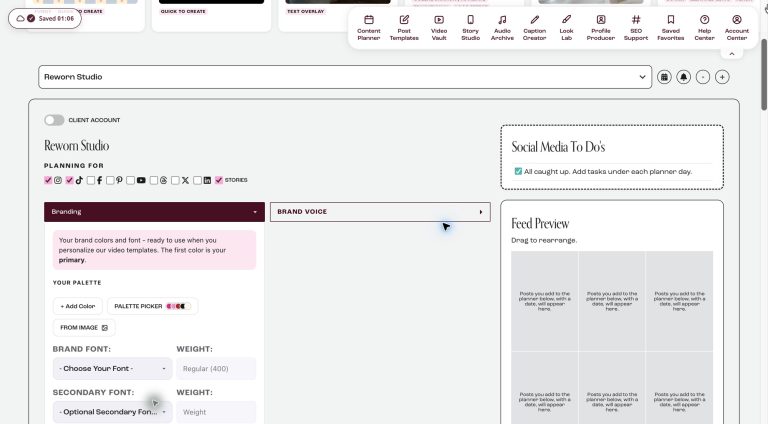
How to add branding to Plooner
Open the account panel at the top of your Content Planner. Under Branding, add your brand colors (or pick a palette in the Palette Picker, or take them from a photo with From Image) and your brand fonts - it saves automatically. Under Brand Voice, add your name, what you do, your emojis and your language, then click Save My Info. The AI uses this for Smart Suggestions and captions.
Post Templates
Post Templates
How to edit Plooner templates
Every template in Plooner is edited the same way, so once you have done it once you can use any of them. For the best result, add your...
Nothing found for "
"
Try another word, or ask us directly - we are happy to help.
Chat With Us